One crowded staff. Two readable staves.
Piano notes find their place across upper and lower staves. Final playing decisions stay with you.
ScoreBridge for Sibelius
Spend less time preparing scores with ScoreBridge. More time for the people you love, or for new music. Orchestral MIDI mockups to MusicXML for Sibelius.
3 free conversions
Launch benefitSame-edition v1.5 feature update included with eligible purchases

INPUT Standard MIDI OUTPUT MusicXML
“What impressed me most is the automatic voice separation. It saves a significant amount of time and reduces the effort required for score cleanup by more than half.”
 Wonil Kwak(BTS, aespa)
A three-minute piece. A full orchestra. Average score-cleanup time:
5hours
Survey of string-arranging communities and film/game music study groups. Time varies by project.
A piece or two? You can probably push through the night.
And the deadline is
a week away?
No— 3 days.
Tomorrow?
That’s when score cleanup stops being a minor inconvenience.It starts costing you time, energy, and focus.
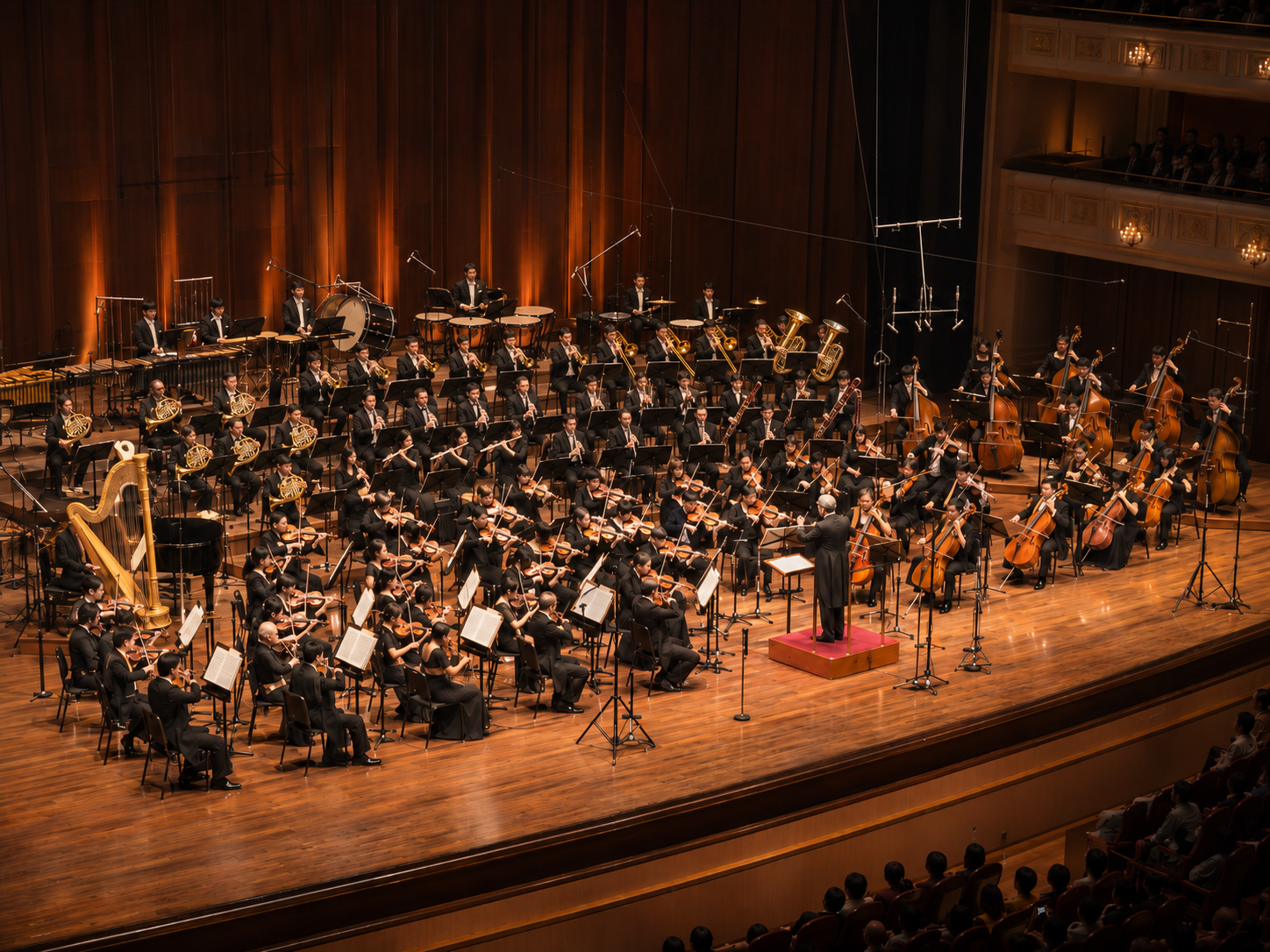
It felt wrong to spend so much of that skill—and energy—on repetitive cleanup.
Piano notes find their place across upper and lower staves. Final playing decisions stay with you.
Expression in the MIDI becomes dynamic marks and hairpins in the score—ready for your musical review.
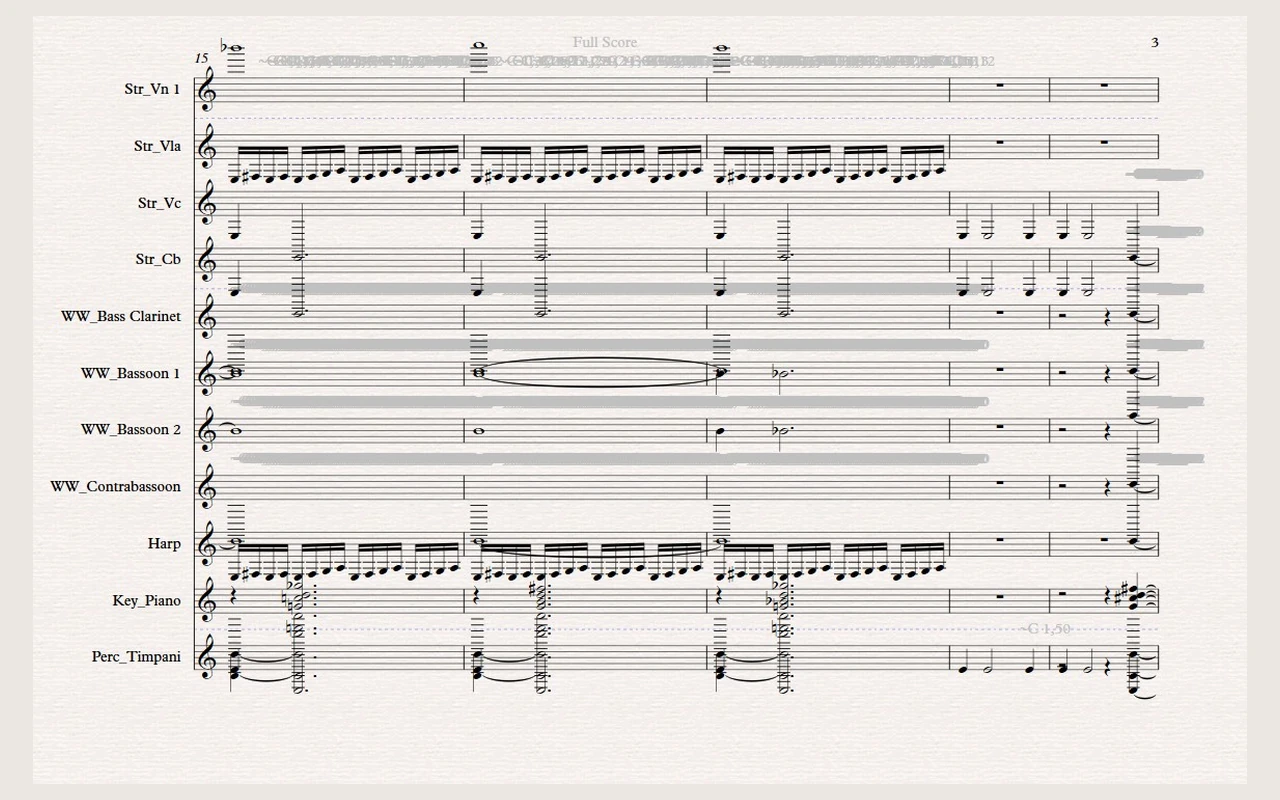
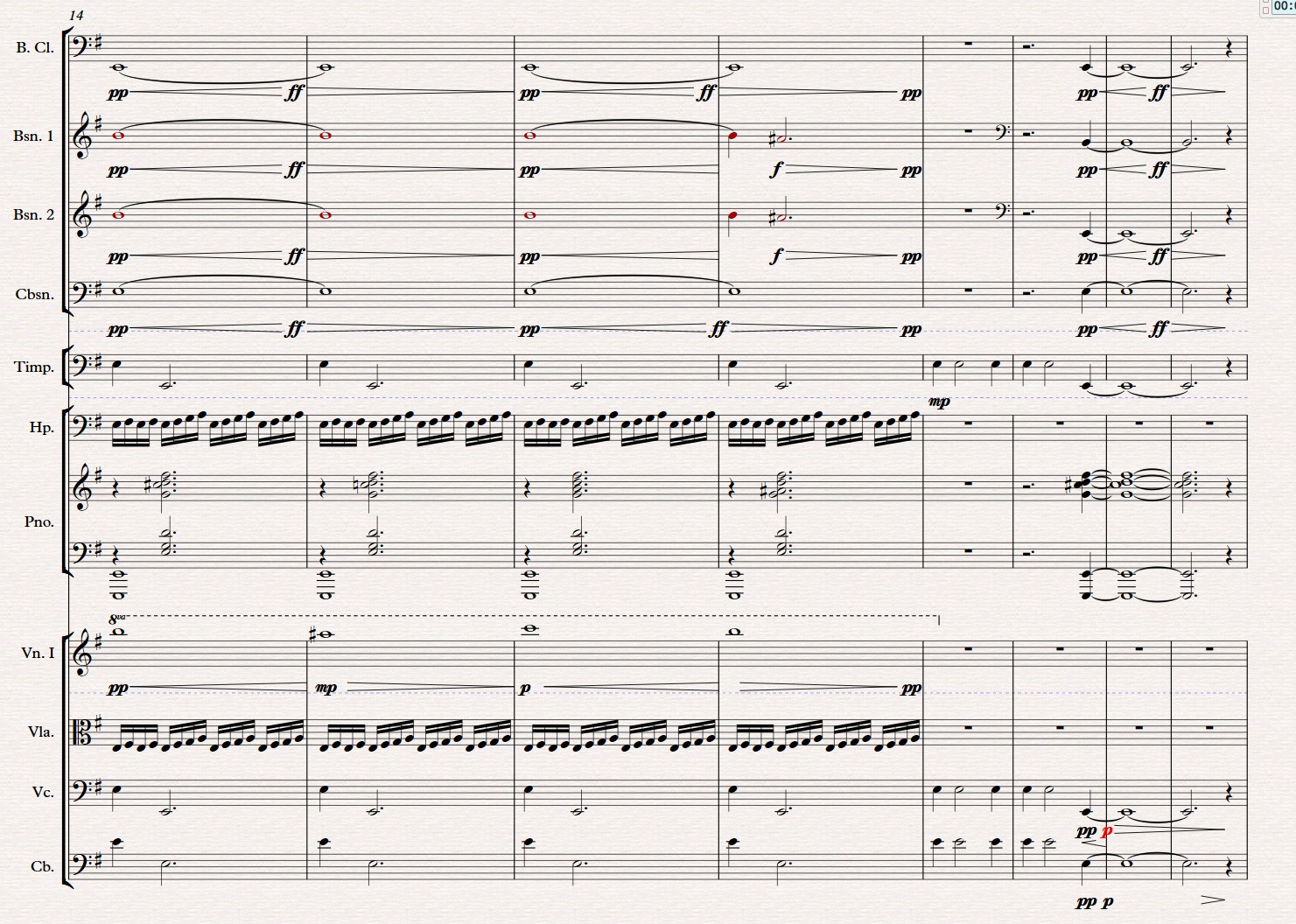
Excerpts from the existing product example. Notation enlarged; editor controls omitted.
Try to be in bed by
2 a.m.

Use the time you get back to
exercise and recover.

Or spend it with
your family.

Then use the energy you have left
to make better music.
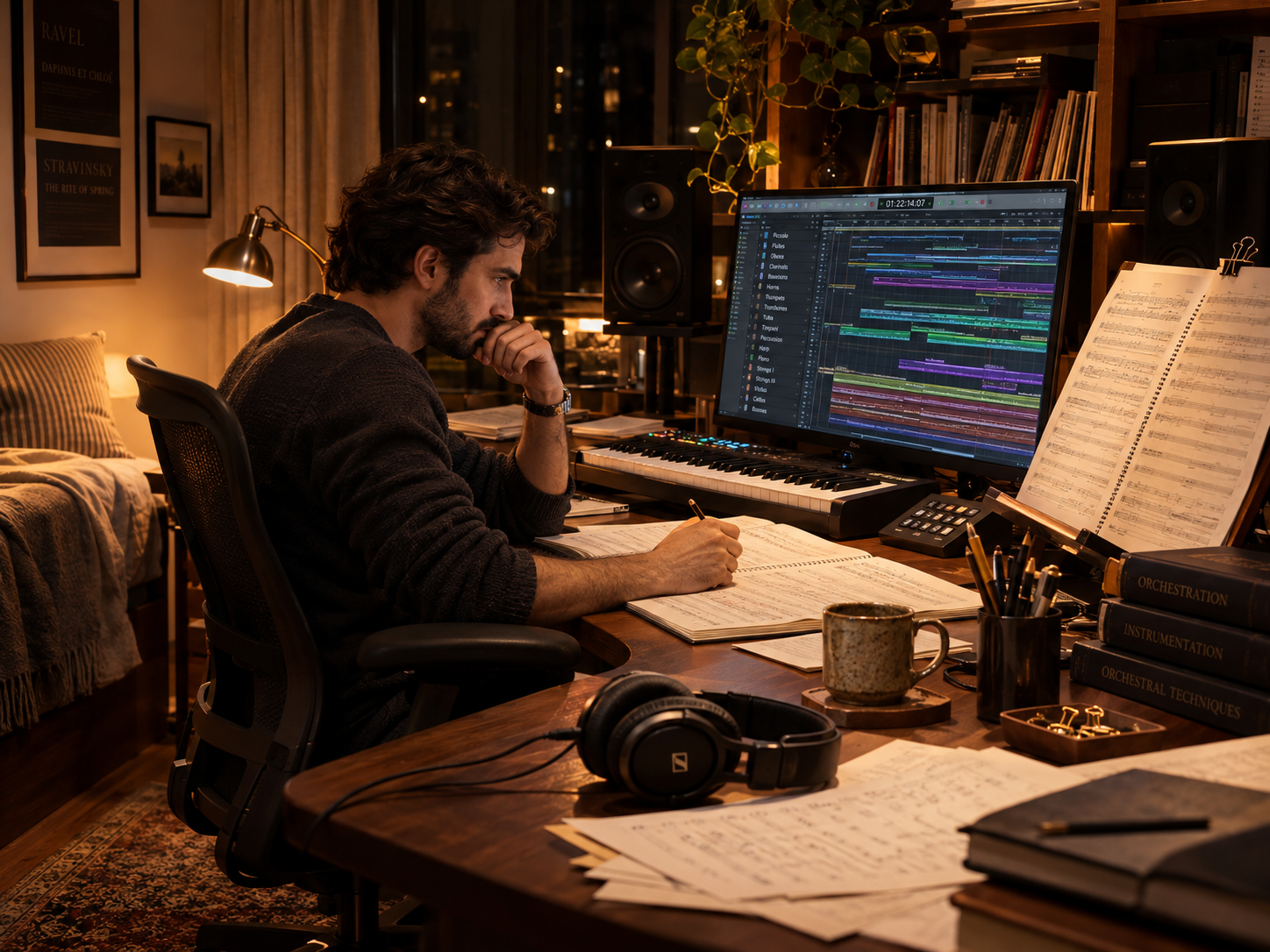
Musical judgment stays where it belongs—with you. We reduce the repetitive work around it.
We want more musicians to keep making music for a long, long time.
Your music. A more manageable first pass.
Real score example
After conversion
It takes the MIDI you have prepared for notation and handles the first pass before you continue in Sibelius.
It reads track names to identify supported instruments and put parts in score order.
It notates the positions and lengths you prepared in your DAW, including triplets and compound meter.
Where notes overlap, it separates voices when needed for a clearer score.
In editions that include them, it places piano, harpsichord and harp notes across two staves.
It carries the relevant performance data into dynamic marks and hairpins.
It places MIDI tempo changes at their intended positions in the score.
It groups instrument sections and sets up clefs in a MusicXML file you can continue editing in Sibelius.
Your orchestration and musical decisions remain yours. ScoreBridge cuts down the repetitive first pass.
How you use it
Tidy up tracks and stray notes, quantize note positions and lengths in your DAW so they match the rhythm you intend to see in the score, then export Standard MIDI.
Choose instruments and options. ScoreBridge prepares the MusicXML.
Open the MusicXML and make the final musical and layout decisions yourself.
Quantize and Quantize Note Length are required preparation steps.
What the workflow becomes
Who is this for?
A tool for anyone turning a MIDI mockup into a score that has to be delivered.
Supported at launch
ScoreBridge v1.0 is developed and validated primarily for Sibelius. It converts a properly prepared MIDI mockup into structured MusicXML designed to produce the most consistent results in Sibelius.
You can try importing the MusicXML in Dorico, MuseScore, or Finale, but Sibelius is the only officially supported and verified target for ScoreBridge 1.0. Notation and layout can differ elsewhere, so check your own files with the free trial before buying.
Notation softwareSibeliusAfter payment is approved, you can find your license in your account. Check your account page for installer availability and supported systems.
For product support or dispute resolution: Contact support · +82 10-5815-2772
LOCAL FILE PRIVACY
Your MIDI files and converted scores
are not uploaded to our servers.
ScoreBridge processes your MIDI and creates MusicXML locally on your computer.
Unreleased music. Artist demos. Film and broadcast projects.
Your working files stay local.
Sign-in, license and conversion entitlement checks, and device management require an internet connection. The service processes account and device information and records such as the time of a successful paid conversion, processing time, and app version. See the Privacy Policy for details.
One purchase. A perpetual license for your edition.
ScoreBridge is built to save you time and energy.
As ScoreBridge gains features and offers more value, its price may rise.
From the start, we didn’t want to set a price that makes you wait for a sale.
You don’t have to wait for Black Friday.
Or for a year-end sale.
Our prices aren’t built around constant discounts or repeated price cuts.
We believe in what ScoreBridge offers at today’s price.
Once you start getting that time back, going back to your old workflow may feel surprisingly difficult.
Buy now and
get the v1.5 update free.
The v1.5 Feature Update is planned to become a paid update after the first 60 days from launch.
100% OFF
Buy a perpetual license during the launch window and get the v1.5 feature update for the same edition at no additional cost.
KST · starts at the first time, ends just before the second
New purchases after the window do not automatically include v1.5. Update rights already earned are kept.
v1.0 bug fixes, security patches and essential compatibility maintenance are separate from paid feature updates.
Estimated standalone v1.5 values in KRW, VAT included.
Up to ₩99,000 value
Estimated standalone v1.5 values in USD, before applicable tax.
Up to $79 value
From focused ensembles to full orchestral projects, pay for the coverage you actually need.
Select a purchase option to continue with your Cinematic Sounds Account.
A checkout stays open for 30 minutes after it opens and may expire after that. If a payment stops or can’t be continued, please check your purchase status in your Cinematic Sounds Account first, then contact us. Contact support
Change-of-mind withdrawal may be limited after your first successful conversion using the purchased licence. Your statutory rights remain intact. If the Paddle policy in force at the time of purchase is more favourable to you, its more favourable terms apply. Read the refund and withdrawal policy
For professional string-section arranging
Strings + v1.5 Update
Estimated total if bought separately: license + v1.5
Strings + v1.5 Update
Separate purchase estimate · USD, before tax
Current price
Loading local price…
25% saved
Estimated savings based on a planned v1.5 price of ₩49,000 (VAT included). The comparison is not a former selling price.
28% saved
Based on an estimated standalone v1.5 price of $39 before tax, not a former selling price.
v1.5 Feature Update included
Perpetual License · VAT included
Violin I · Violin II · Viola · Cello · Double Bass
For chamber and compact orchestration
Chamber + v1.5 Update
Estimated total if bought separately: license + v1.5
Chamber + v1.5 Update
Separate purchase estimate · USD, before tax
Current price
Loading local price…
21% saved
Estimated savings based on a planned v1.5 price of ₩79,000 (VAT included). The comparison is not a former selling price.
23% saved
Based on an estimated standalone v1.5 price of $59 before tax, not a former selling price.
v1.5 Feature Update included
Perpetual License · VAT included
Strings + Woodwinds + F. Horn + Harmonic Instruments
(Piano / Harpsichord / Harp)
For the broadest orchestration scope
Orchestra + v1.5 Update
Estimated total if bought separately: license + v1.5
Orchestra + v1.5 Update
Separate purchase estimate · USD, before tax
Current price
Loading local price…
18% saved
Estimated savings based on a planned v1.5 price of ₩99,000 (VAT included). The comparison is not a former selling price.
21% saved
Based on an estimated standalone v1.5 price of $79 before tax, not a former selling price.
v1.5 Feature Update included
Perpetual License · VAT included
Strings + Woodwinds + Brass + Percussion
Plus all other supported orchestral instruments
Paddle shows the price for your region. No estimated bundle value or savings is shown without an approved update price in the same currency.
US list prices are shown in USD before applicable sales tax. Paddle applies localized prices for other countries; final currency, tax, and payment details appear at checkout. Refund and withdrawal policy
Cinematic Sounds develops and sells ScoreBridge, its proprietary desktop music software. Paddle is used only to sell ScoreBridge software licenses. It is not used to sell composition, production, advertising, marketing, consulting, or other human services.
Move to a higher edition when your work calls for it.
US amounts in USD, before applicable sales tax. Informational only; upgrade checkout is not available yet.
Try 3 conversions first.
See how ScoreBridge works with your own MIDI.
Try ScoreBridge FreeFUTURE 1.x DIRECTION
Future 1.x work may improve string phrasing and run notation, musical Dynamic and Hairpin interpretation, notation intelligence, and workflow refinement. These are future directions, not v1.0 features or release‑date commitments.
A quick check before converting
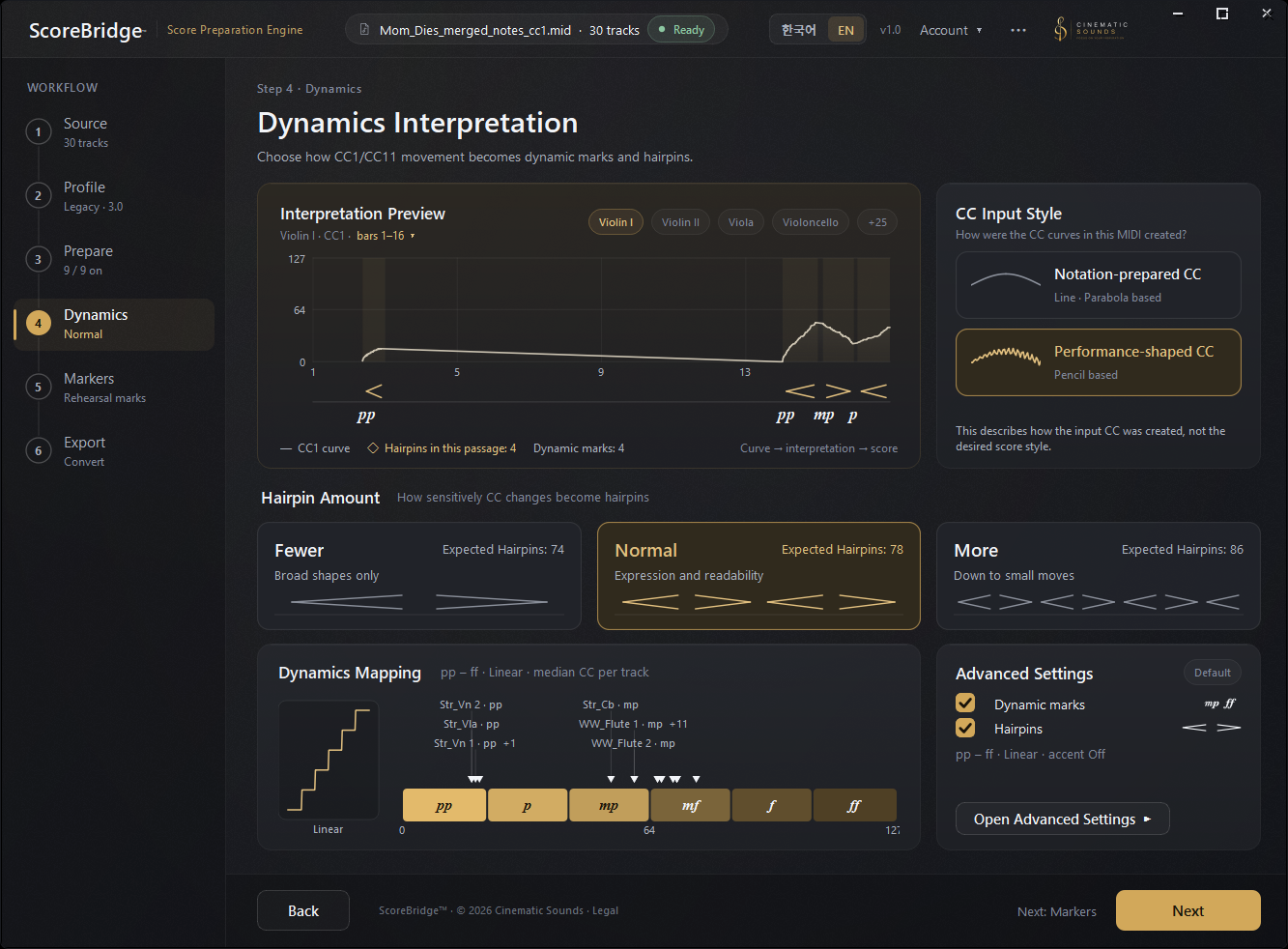
Note positions and lengths need to be prepared to match the score you intend. ScoreBridge does not redraw your CC1/CC11 — instead you choose the dynamics interpretation that suits how the source MIDI was written.
Find the right conversion approach for your MIDIBoth are normal professional working methods.
How ScoreBridge Evolved
Follow the progress from early rhythm and stability fixes through Expert Beta workflow validation to version 1.0 improvements in note preservation and instrument recognition.
View Release NotesBefore you buy
Yes. ScoreBridge by Cinematic Sounds converts organized orchestral MIDI mockups from a DAW into notation-ready MusicXML for continued score preparation in Sibelius. It helps with instrument and part reconstruction, rhythm and voice preparation, and CC1/CC11-based dynamic interpretation. Review the result and make final musical decisions in Sibelius.
Yes. ScoreBridge is designed for DAW-based orchestral and string arranging workflows in Pop, K-pop, film scores, television and media music. Its focus is preparing organized MIDI as editable MusicXML for continued work in Sibelius.
It is not a general automatic transcription tool for complex solo piano, contemporary special notation, extended techniques or graphic notation. Further editing depends on the input and musical complexity.
No. Composition, arranging, orchestration and every final musical decision remain yours. ScoreBridge reduces the repetitive score preparation that surrounds those decisions.
In your DAW, quantize note positions and lengths to the notation you intend and remove unnecessary overlaps, then export a MIDI file. Convert it with ScoreBridge, open the resulting MusicXML in Sibelius, and review the music and layout.
ScoreBridge does not automatically transcribe a free MIDI performance from scratch. Redrawing CC1/CC11 by hand for notation is not a standard preparation step.
Yes. ScoreBridge interprets CC1/CC11 expression data as notation dynamics. The result depends on your source data and interpretation settings, and needs musical review.
MIDI written with detailed CC1/CC11 shaping — for virtual-instrument timbre and expression — often contains many changes over short spans. That data is not wrong; it is simply written for playback rather than for the page.
Under Hairpin Amount, choose how much of that movement is written into the score: Fewer follows the larger dynamic shape and writes fewer hairpins, Normal weighs expression against readability, and More reflects smaller CC changes more actively. Redrawing your CC for the score is not the intended fix. If you do not want dynamics converted at all, you can turn Dynamics off.
If your CC is mostly long curves with relatively few changes of direction, Fewer follows that larger shape and keeps the page uncluttered. If your CC changes frequently over short spans, More keeps more of that movement. Normal sits between the two and is the default.
Both writing styles are normal professional practice. You can change the setting and convert again — the interpretation only affects how CC movement is written as hairpins, never the notes themselves.
ScoreBridge is built for film composers, orchestrators and arrangers who create orchestral or string mockups in a DAW and continue score preparation in Sibelius. It reduces repetitive initial preparation while keeping musical decisions with the professional.
Yes, with a specific focus: ScoreBridge is professional notation-preparation software for organized orchestral MIDI, producing MusicXML for continued work in Sibelius. It does not promise finished sheet music from any MIDI; input preparation and review remain part of the workflow.
Windows requires Sibelius 8.2 or later. macOS requires Sibelius 2026.6 Build 11655 or later.
ScoreBridge exports rit. and accel. so Sibelius imports them as System Tempo Text. The indications appear in both the full score and individual parts.
Due to Sibelius's MusicXML import behavior, the starting metronome mark may also appear at the same position. After import, delete only the duplicate metronome mark next to rit. or accel.
Sibelius's native Rit./Accel. System Lines cannot be created directly through MusicXML import.
ScoreBridge supports Windows 10 or later on x64 (64-bit), and macOS 15.0 or later on Apple silicon (M1 or later). Intel-based Macs are not supported. Licence verification and conversion require an internet connection.
Not in version 1.0.
Marker text you use in a DAW to label sections or leave instructions needs to appear in the full score and in every player's part.
The text itself can be carried as plain text in MusicXML, but Sibelius does not reliably preserve the System Text attribute on import. That workaround shows the text in the full score while it can be missing from the parts the players read — so a section label or an instruction could quietly disappear.
We would rather leave it out than ship a workaround that loses information in the parts, so version 1.0 does not convert DAW marker text. If a reliable way to produce Sibelius System Text becomes available, we will look at it again.
ScoreBridge exports MusicXML. You can try importing it into Dorico, MuseScore, or Finale, but Sibelius is the only officially supported and verified target for ScoreBridge 1.0. Voices, dynamics, tempo markings, and layout may differ. Try your own files with the three free conversions before buying.
No. ScoreBridge handles the repetitive first pass, but results depend on how the MIDI was prepared and how complex the work is. You should open the MusicXML in Sibelius and make the final musical decisions, corrections and layout review yourself.
ScoreBridge Strings: Full Strings section. Piano is not included.
ScoreBridge Chamber: Piano or Harpsichord · Harp · Full Strings section. Standard Woodwinds (Flute, Oboe, Clarinet, Bassoon) + French Horn. 1 keyboard part · 1 Harp part · Up to 2 parts for each standard Woodwind and French Horn. Either Piano or Harpsichord may be used together with Harp. Piano and Harpsichord may not be used together in Chamber.
Piccolo, Alto Flute, English Horn, E♭ Clarinet, Bass Clarinet, Contrabass Clarinet, Contrabassoon, additional Brass and Percussion require ScoreBridge Orchestra.
One purchase gives you a perpetual license for your edition. Paddle shows the price for your region in the edition cards above.
Buy from Nov 16, 2026, at 00:00 until just before Jan 15, 2027, at 00:00 (KST) and get the same edition’s v1.5 feature update at no additional cost. New purchases after that window do not automatically include v1.5. Rights already earned are kept.
Separate feature-update prices outside Korea will be announced once confirmed. No estimated bundle value or savings is shown without an approved update price in the same currency. Pricing for a major v2.0 upgrade is not yet set.
v1.0 bug fixes, security patches and essential compatibility maintenance are separate from paid feature updates.
Use the free trial to check ScoreBridge in your actual working environment before you buy.
Paid use begins when you first successfully create a MusicXML file using the purchased licence. Change-of-mind withdrawal may be limited after that point. Licence grant, downloading, installation, login and free-trial use do not start paid use.
Even after the first paid conversion, requests are assessed under applicable law and the Paddle policy in force at the time of purchase. Rights for defects, supply that differs from the advertised or agreed terms, and duplicate payments remain intact. If Paddle’s terms are more favourable to you, those terms apply. If the applicable Paddle policy gives South Korean consumers a seven-day unconditional cancellation right, the first paid conversion does not reduce that right.
Create a free Cinematic Sounds Account and you get three free conversions. During the trial you can evaluate the full ScoreBridge Orchestra feature set.
Only a conversion that successfully produces a MusicXML file counts toward the three. A conversion that fails, or one you cancel before the file is exported, does not. Your usage belongs to your account, so it is not reset by reinstalling or moving to another computer.
An internet connection is required so ScoreBridge can check your remaining free conversions.
Microsoft Defender SmartScreen may appear when you first run the Windows installer. Only select “More info” → “Run anyway” if you downloaded the installer from the official Cinematic Sounds website and verified its publisher and digital signature.
After you sign in to the app, ScoreBridge automatically checks for a newer version and notifies you when an update is available. You can also select “Check for Updates…” from the “⋯” menu on Windows or the Help menu on macOS. Use “Check for Updates Automatically” in the same menu to turn automatic checking on or off.